

Server Browser
Die Dinos
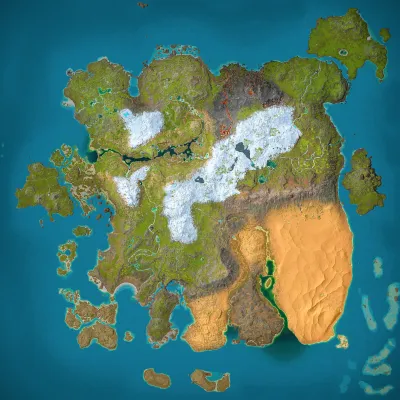
Ragnarok
Population
Loading population history...
Last 24 hours: Average players 0.5; recorded peak 2.
Installed Mods
10 mods
Arkitect Structures Remastered
ID: 9555654
CM Nanny & Hatchery
ID: 9513126
Alfa Cryopod
ID: 9515149
Feras TLCs: Megalodon
ID: 9440370Show more (6)Show less

Thylacoleo Bloodlines: Wanderers
ID: 9531809
Giant Wolf & Cie
ID: 9573350
Pegasus Ascended
ID: 9514841
Rideable Cat
ID: 9511358
Ancient Bloodlines
ID: 9550163
Isle of Myths: Oxalaia
ID: 9487160How to join
- Open ARK: Survival Ascended and choose Join Game.
- Select Unofficial. Enable Show Player Servers if available.
- Search for Die Dinos and refresh the list.
- Select the server on Ragnarok and press Join. Enter the server password if prompted. Allow the required mods to download.
Can't find the server?
Clear map and mode filters, then search for part of the name. For a password-protected server, enable Show Password Protected Servers. Check that your game is updated and your platform is listed in Server details.
Give your ARK community a home
Create your own custom server page on Arkbuddy. Share your server details, rates, events, and live population in one place.
Affiliate
Rent an ARK server on Nitrado
Launch your own world in minutes. Use the link for your game version below.