


Server Browser

Kxyloo
Bjarnheim
Population
Loading population history...
Last 24 hours: Average players 0.4; recorded peak 1.
Installed Mods
20 mods
AutoDoors
ID: 9418251
Stop The Steal - Ascended [UPDATE NOV 2024]
ID: 9417438
[T.A.C] Vectispinus-
ID: 9602343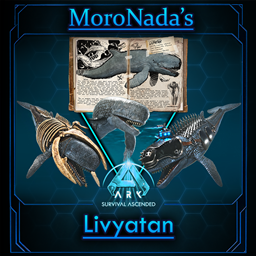
Moro's Livyatan (Freemium)
ID: 9517495Show more (16)Show less

Bangin Tranqs (Crossplay Live)
ID: 9420155
[T.A.C] Eocarcharia
ID: 9602359
Svartalfheim Premium [PC & Crossplay]
ID: 9564891
Xyphias' Creatures: Hatzegopteryx
ID: 9616802
Better Forges
ID: 9420569
Additional Creatures Standalones: Cornusaurus
ID: 9487268
Prevent Hibernation
ID: 9418712
Feras Vanilla Edits: Smilodon
ID: 9488219
Piggles' Adasaurus
ID: 9567894
Forgotten Fauna Continued: Monolophosaurus
ID: 9487156
Paleo ARK EVO+ | Native Aquatics (Crossplay!)
ID: 9417201
Paleo ARK EVO+ | Rulers of the Wastelands
ID: 9606862
Paleo ARK - Evolution | Hard Hitting Herbivores
ID: 9602987
Paleo ARK - Evolution | Dangerous Depths (Crossplay!)
ID: 9505910
Paleo ARK - Evolution | Apex Predators (Crossplay)
ID: 9505875
Bjarnheim
ID: 9601325How to join
- Open ARK: Survival Ascended and choose Join Game.
- Select Unofficial. Enable Show Player Servers if available.
- Search for Kxyloo and refresh the list.
- Select the server on Bjarnheim and press Join. Enter the server password if prompted. Allow the required mods to download.
Can't find the server?
Clear map and mode filters, then search for part of the name. For a password-protected server, enable Show Password Protected Servers. Check that your game is updated and your platform is listed in Server details.
Give your ARK community a home
Create your own custom server page on Arkbuddy. Share your server details, rates, events, and live population in one place.
Affiliate
Rent an ARK server on Nitrado
Launch your own world in minutes. Use the link for your game version below.